Multi-task Pomodoro & Flowtime
Switch between your activities. Stay in flow longer.
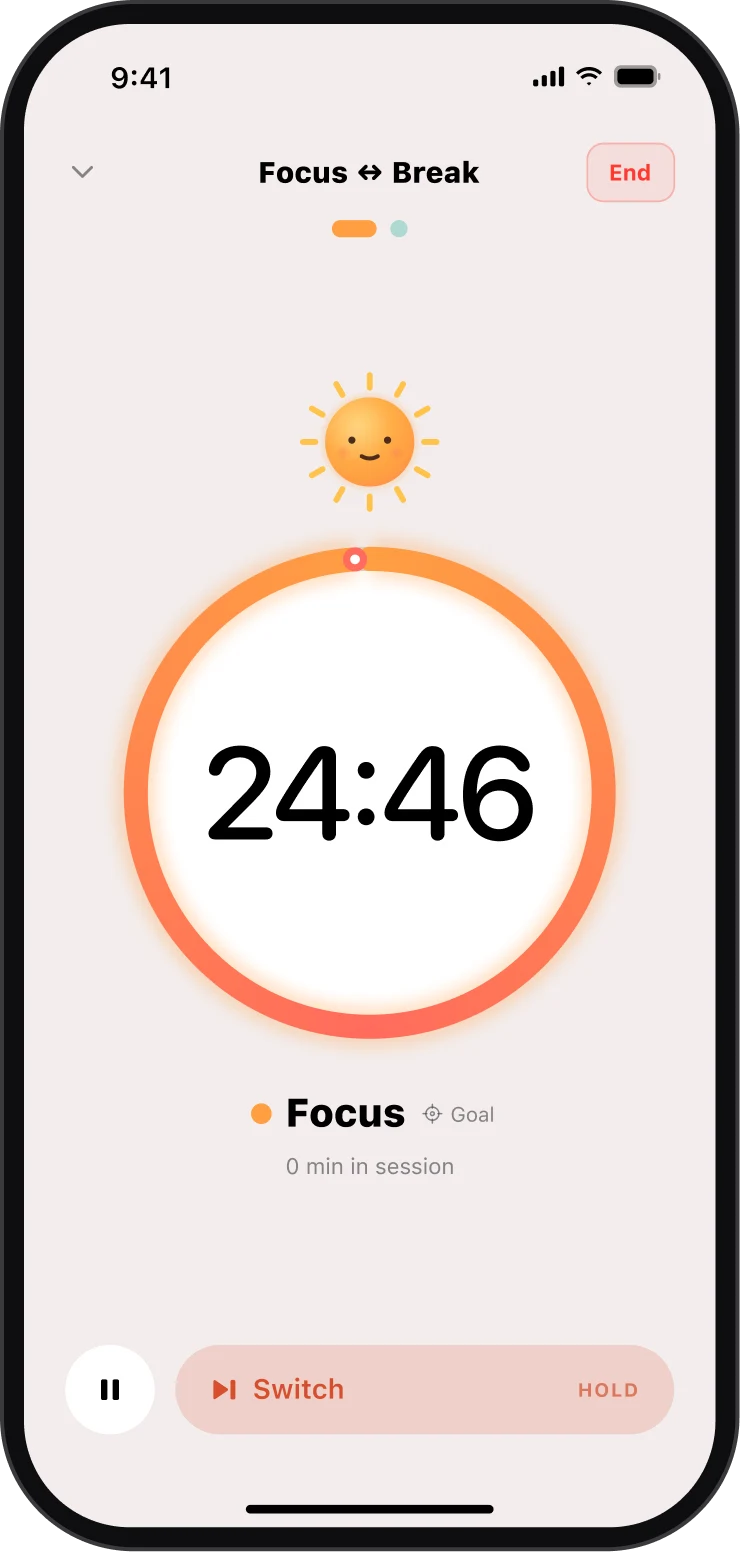
Most focus timers force the same loop: work, then sit through a break. Sunny is different. You alternate between the activities you chose. Pair deep work with email. Writing with reading. A hard task with an easy one. Switching is the rest.
Launching soon on iOS, Android and macOS.
The method
Not work → break. Activity ↔ activity.
Multi-activity interval switching treats the switch itself as the reset. Discipline-heavy work feels lighter, almost like a game, and you stay engaged far longer.
Pick your activities
Two is the sweet spot: pair a hard task with an easy one. Deep work with email, a report with reading, or two goal activities on a strong day.
Give each side its own rule
Timed with a gentle chime (25/5, 10/3, 7 minutes, whatever fits) or “until done” with no countdown at all. Asymmetric on purpose.
Switch, don’t stop
When the chime comes, Sunny asks and you decide. The switch itself is the rest, so you keep momentum instead of losing it to an idle break.
Flexible where it matters
A timer that adapts to you, not the other way around
Clean and minimal by default, with the power options one tap deeper, never in your face.
Timed or until-done
Countdown intervals with a gentle chime, or open-ended Flowtime-style segments you end when the task is actually finished.
Different rules per side
Twenty-five minutes of deep work against seven of email. A timed side and an until-done side. Your intervals, not a template's.
The timer asks. You decide.
At zero, Sunny prompts: switch now, take “a bit more”, or end the session. Prefer hands-off? Auto-switch is one setting away.
Retune mid-session
Add or drop minutes, or convert a countdown to until-done. Adjust the plan without abandoning the session or the stats.
Starter presets
Just Focus · Classic 25/5 · Short Cycles 10/3 · Study ↔ Play. Your first session is running in under a minute, zero setup.
Also just a great timer
Skip the method entirely: one activity, simple rounds, a clean dial. Sunny stays out of your way while you work.
Built to be trusted
Lock the phone. Pocket it. The timer holds.
The number one complaint about focus timers is that they quietly die in the background. Sunny treats background reliability as the headline feature, not a footnote.
- Exact alarms, even asleep
- Interval ends are scheduled with the OS ahead of time, so the chime rings on the second: with the screen off, the app suspended, even after a reboot.
- Survives force-quit
- Every transition is saved instantly. If the system kills the app mid-session, relaunching restores it exactly, including the time that passed while it was dead.
- Timestamps, not tick counters
- Elapsed time is derived from wall-clock timestamps, never accumulated. Backgrounding, throttling or clock quirks can’t drift the timer.
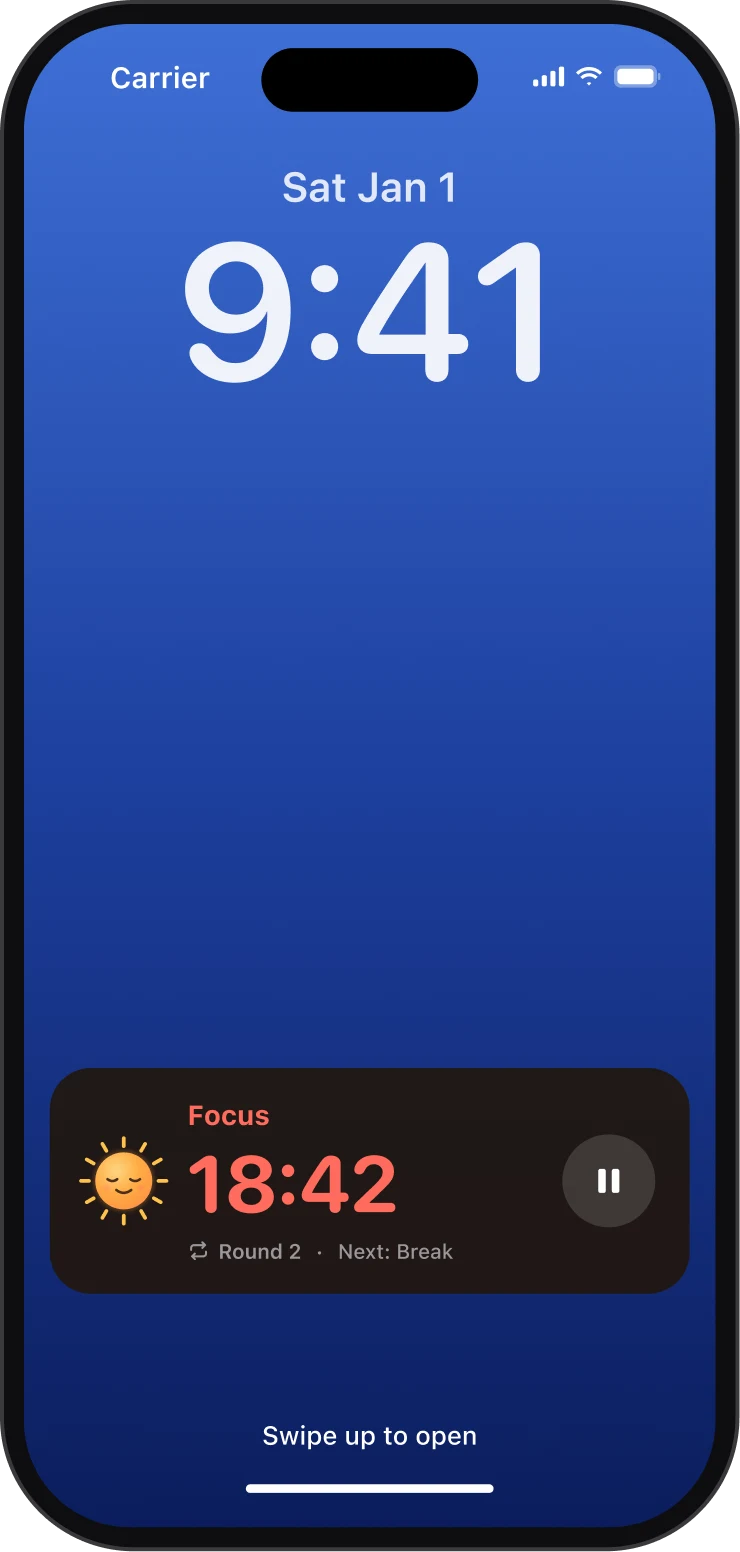
- On your Lock Screen
- iOS Live Activities show a self-updating countdown ring with pause right on the lock screen and Dynamic Island; Android keeps a live notification counting down. Home-screen widgets start a session in one tap.
Private by architecture
Your data never leaves your device
Not “anonymized”, not “only with partners”. There is simply no server to send anything to; Sunny is local-first software.
- No account, no sign-in, no cloud
- No analytics, no trackers, no ads
- Your sessions never leave your device; the timer works offline
- No personal data: purchases are verified anonymously
- Your history is yours: export it as CSV
Pricing
Free forever. Pro if you want more.
The full timer, with sessions, switching, presets, widgets and reliability, is free with no time limit. Sunny Pro adds unlimited sets, stats and export.
Lifetime · One-time payment
$21.99 one-time
Pay once. Keep it forever: every Pro feature, no renewals.
Yearly · First 7 days free
$11.99 /year
Try everything free for a week, then one small yearly payment.
Monthly · Cancel anytime
$2.99 /month
Flexible month to month. Cancel anytime from your store account.
Questions
The short version
What is Sunny?
What is multi-activity interval switching?
How is Sunny different from a Pomodoro app?
Does Sunny support Flowtime?
Does the timer keep working when I lock my phone or quit the app?
Give your focus a second activity
Switch between your activities. Stay in flow longer. Free to start, ready in under a minute.